ERP Manual
Apply Concession
Form Submitted (Fee & Concession)
Financial Approval Stage
This module lists students whose forms have been verified and are ready for fee allocation. Here, administrators can **Apply Fees**, **Grant Concessions** (Scholarships/Discounts), and manage manual fee payments before finalizing the admission.
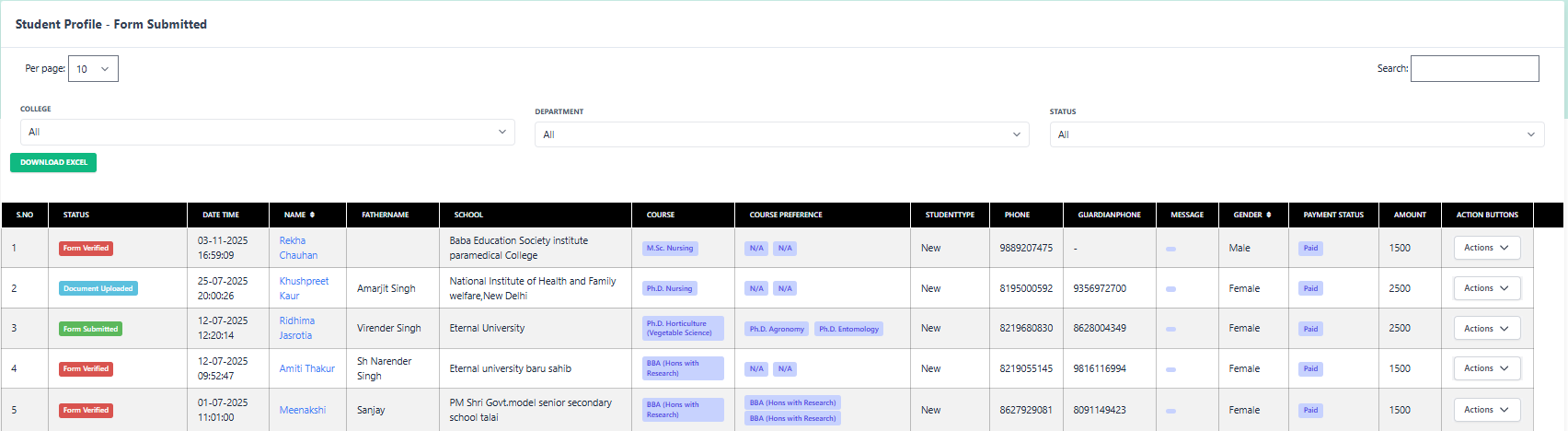
1 Student List & Status
Click to Enlarge
Filter & Sort
- Status: Default is "Form Submitted" or "Form Verified".
- Search: Find by Name (e.g., Siya Sood) to quickly process specific cases.
List Details
Student Name
Siya Sood
Remark
Late Admission (Mess Less)
2 Financial Actions
KEY ACTION
Apply Concession
Grant merit-based scholarships or special discounts.
PayFee Manual
Collect fees via Cash/DD.
Verify Doc
Re-check uploaded proofs.
More:
Form
Status
Follow-up
Reject
3 How to Apply Concession?
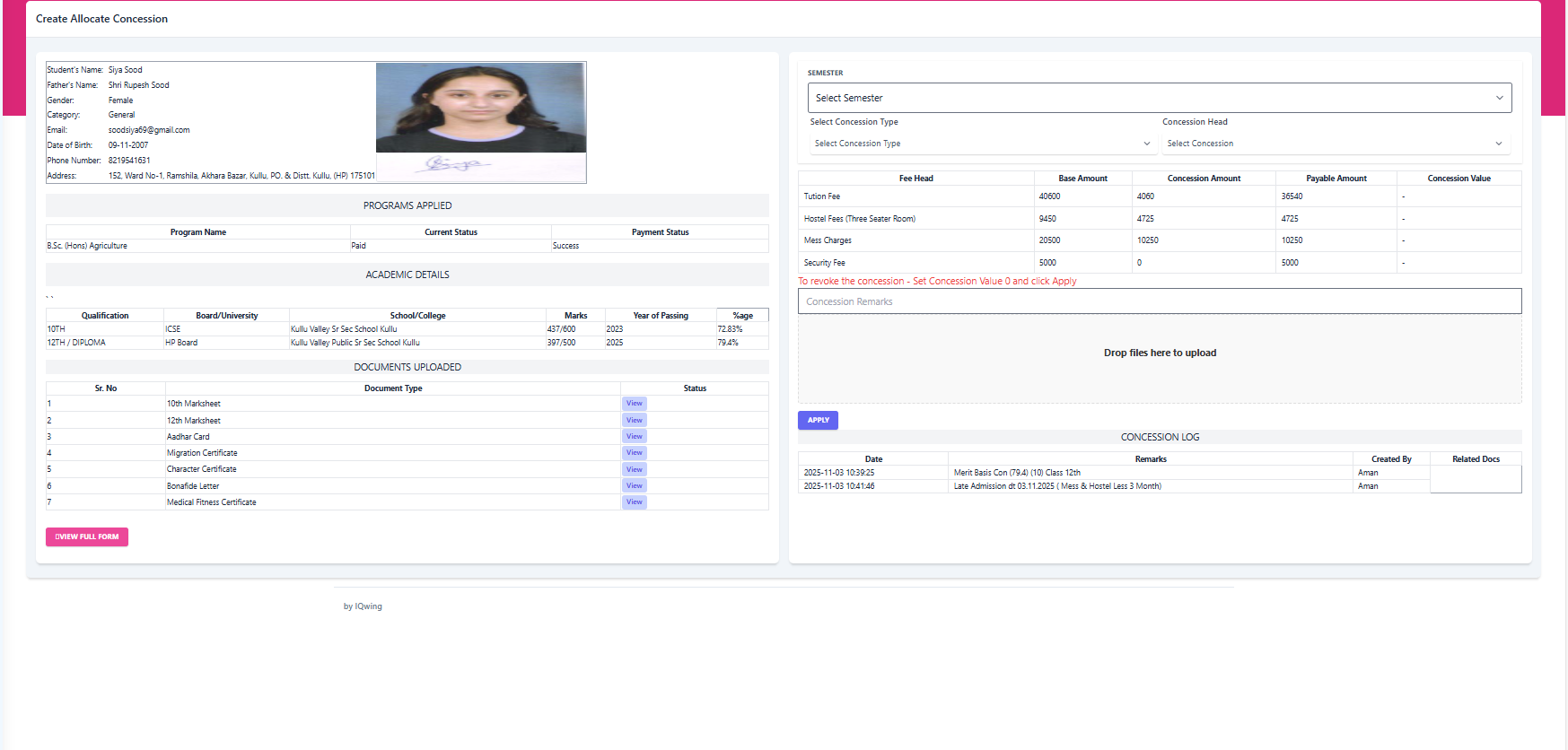
Clicking "Apply Concession" opens a detailed modal where you can review the student's merit (marks) and assign a discount.
Zoom Concession Screen
1. Check Eligibility (Academic Details)
Before giving a discount, verify if the student meets the criteria (e.g., Marks > 75%).
10th Marks (ICSE):
72.83%
12th Marks (HP Board):
79.4%
View Uploaded Marksheets
2. Configure Discount
3. Fee Ledger Impact
| Fee Head | Base Fee | Concession | Final Payable |
|---|---|---|---|
| Tuition Fee | ₹ 40,600 | - ₹ 4,060 | ₹ 36,540 |
| Hostel Fees | ₹ 9,450 | - ₹ 4,725 | ₹ 4,725 |
Log: "Merit Basis Concession" added by Aman on 2025-11-03.