Enquiries
Enquiries Management
The Enquiry Module is the first step of the admission process. It captures data of all students who have shown interest (filled the lead form) but have not necessarily completed their admission. This screen acts as a CRM (Customer Relationship Management) tool for counselors to track, follow up, and convert leads into admissions.
1 The Enquiry List View
This is the main landing screen where you see all student leads. You can filter data by College, Department, or Status.
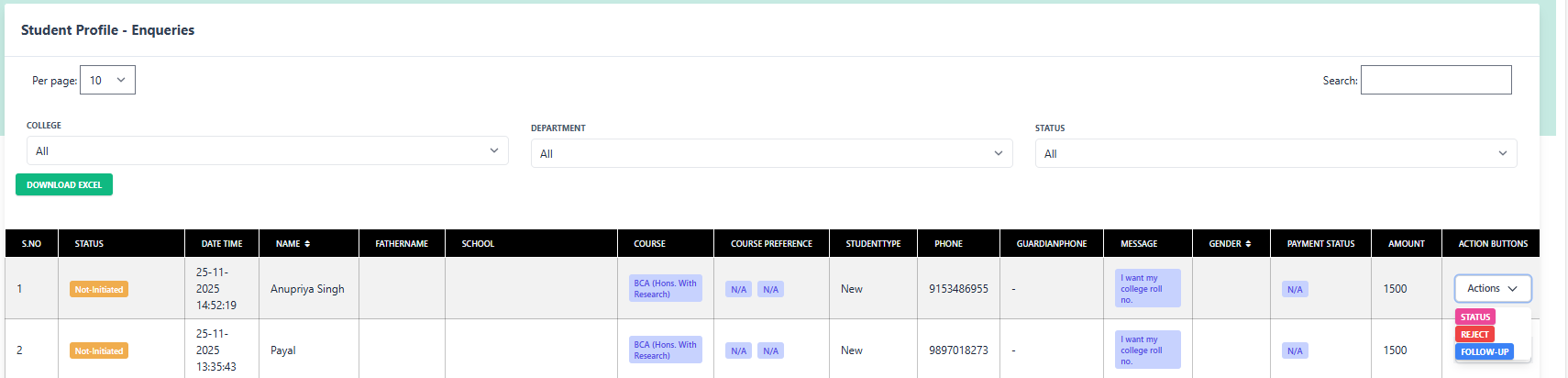
Advanced Filters
- Academic Session: Filter students by year (e.g., 2024-25, 2025-26).
- College/Dept: Narrow down lists to specific departments like BCA, Engineering, or Commerce.
- Status Filter: View only 'Not-Initiated' leads to make fresh calls, or 'Form Submitted' to verify documents.
Key Data Columns
2 Taking Actions (Follow-up & Status)
The "Actions" button is the most critical tool. It allows the admission team to interact with the lead.
1. Status
Quickly view the current status timeline of the student without editing.
2. Reject
Mark invalid or duplicate entries as rejected. These will be moved to the 'Rejected' list.
3. Follow-up Important
Opens the detailed interaction screen to log calls, remarks, and update status.
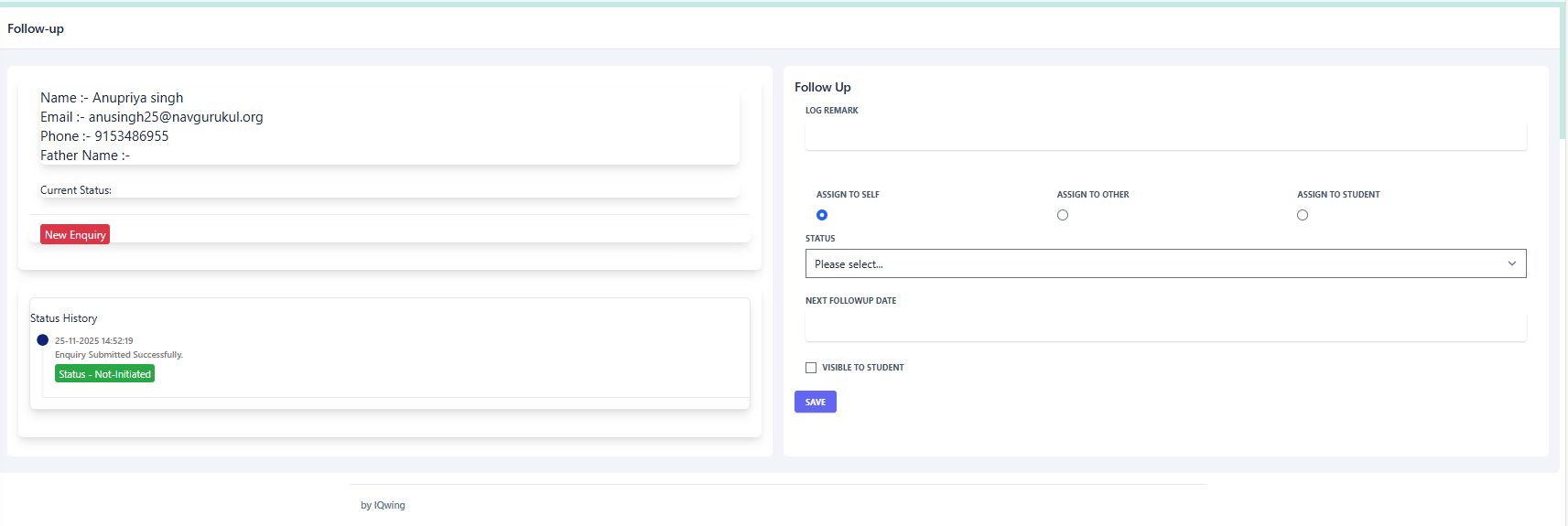
Inside the Follow-up Screen
When you call a student, use this screen to log the conversation. This keeps the entire team updated.
Current Status
Displays where the student currently is (e.g., Not-Initiated).
Change Status
Update the status based on your call.
Example: If documents are missing, set status to "Document Pending".
Remarks / Comments
Type notes like "Student asked to call back on Monday" or "Fee payment issue".
Need Offline Data?
You can export the filtered list for meetings or offline calling.