Concession
Concession Management
The Concession Module allows administrators to manage fee discounts, scholarships, and waivers for students. Whether it's a merit-based scholarship, sibling discount, or a special case waiver, this module provides a structured way to apply and track these financial adjustments.
1 Concession Request List
This screen lists students who have requested a concession or are eligible for one. Statuses like "Concession Recommended" or "Approved" help track the workflow.
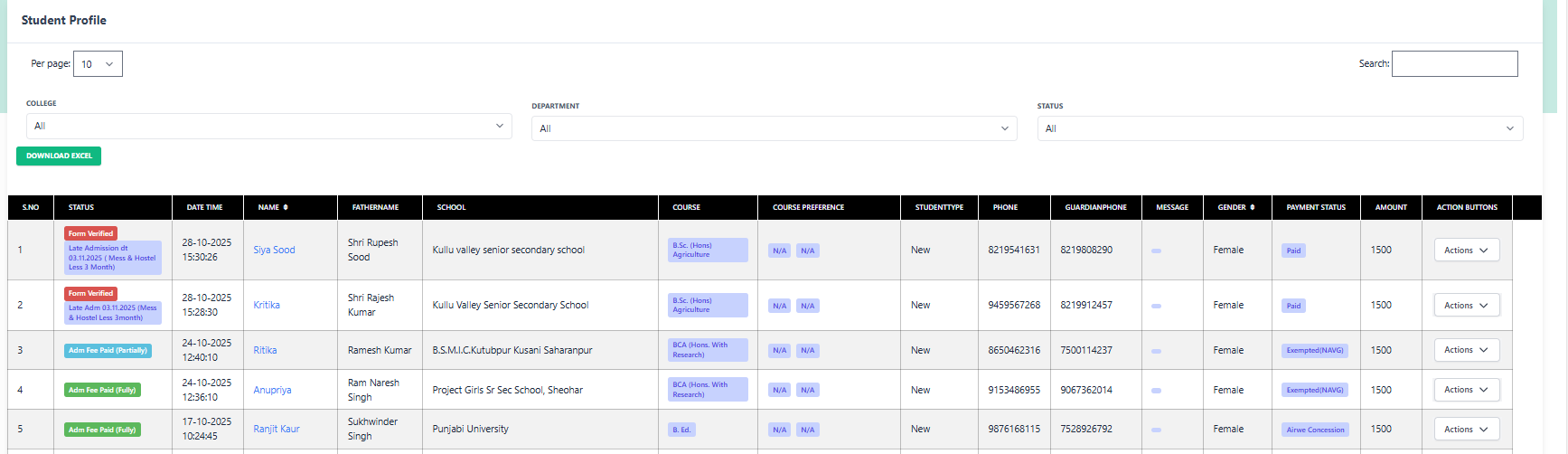
Filters & Search
- College/Dept: Filter list by specific faculty or department.
- Status: Concession Recommended is a key status here indicating pending approval.
Student Details
- Name: Siya Sood
- Course: B.Sc. (Hons) Agriculture
- Remark: Late Admission (Mess/Hostel Less)
2 Available Actions
Apply Concession
Open the concession form to calculate and assign discounts.
PayFee Manually
Collect balance fees.
Verify Doc
Check proofs for scholarship eligibility.
3 Concession Application Process
This is the main interface for granting discounts. You can view the student's academic details to verify merit and then apply specific concession rules.
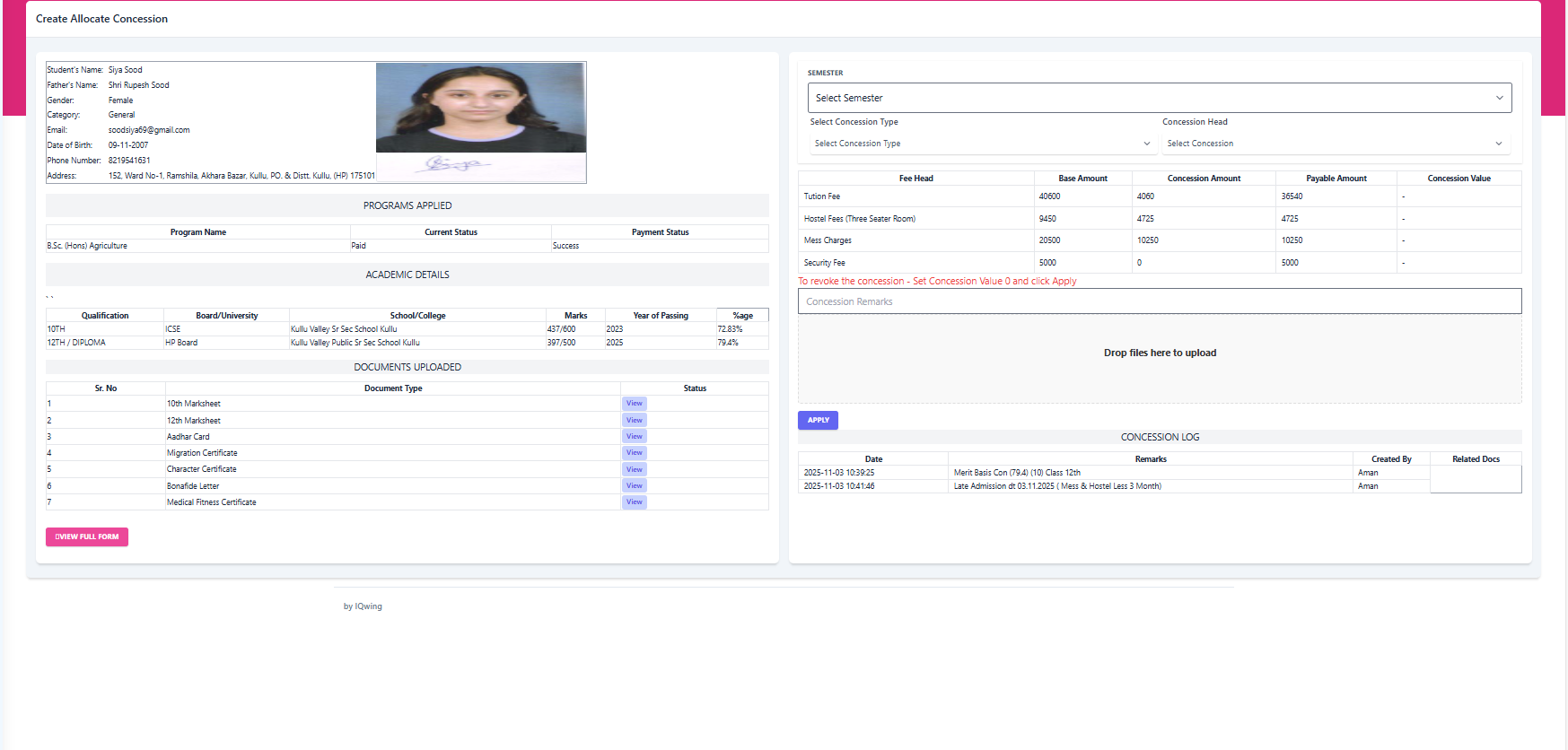
1. Validate Eligibility
Before applying a discount, verify the student's merit or category.
2. Configure Concession
3. Apply Values
| Fee Head | Base Amount | Concession Value | Payable |
|---|---|---|---|
| Tuition Fee | ₹ 40,600 | ₹ 36,540 | |
| Hostel Fees | ₹ 9,450 | ₹ 4,725 |
To revoke a concession, set the value to 0 and click Apply.