ERP Manual
Fee Paid
Admitted Students (Fee Paid)
This module lists students who have successfully passed the verification stage and have started paying their **Course Fees**. Here, you can manage their admission status, track fee ledgers, and record **Manual Payments** (Cash/Cheque/DD) directly into the system.
1 Admitted Students List
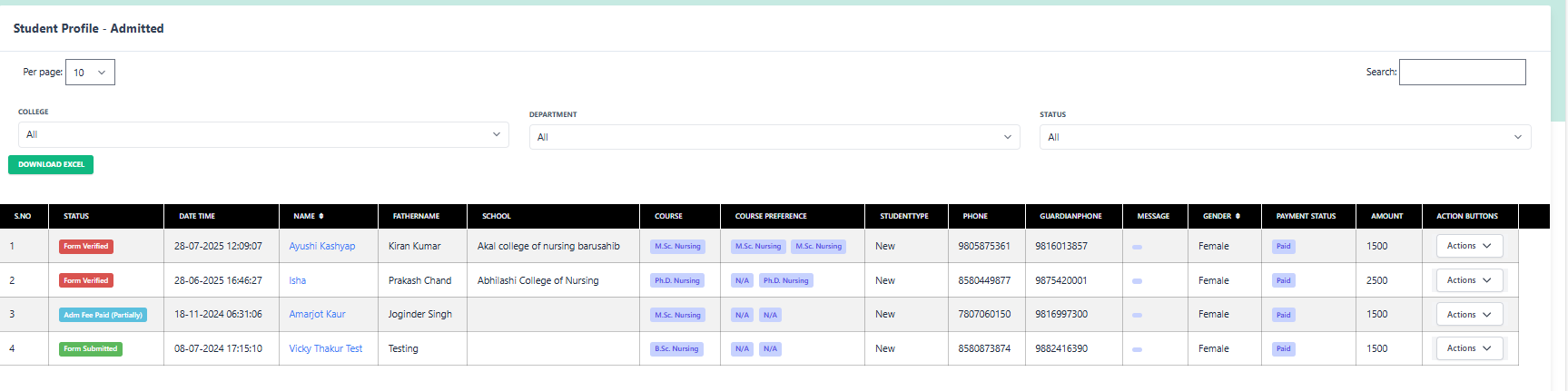
A comprehensive list of students sorted by their admission status. Use filters to find specific records.
Click to Enlarge
Filters & Search
- College/Dept: e.g., Akal College of Nursing.
- Status: View students who are 'Form Verified', 'Document Uploaded', or 'Admitted'.
- Search: Find students instantly by Name, Father's Name, or Phone Number.
List Highlights
Payment Status:
Paid
Amount:
₹ 1500 / ₹ 2500 (Reg Fee)
Action Buttons:
Available
2 Available Actions
NEW FEATURE
PayFee Manual
Record offline payments (Cash/DD) and view ledger.
Verify Doc
Check certificates.
Apply Fee
Add new fee heads.
More Actions:
Form
Status
Follow-up
Accept Form
Reject
3 Pay Fee Manually (Ledger & Collection)
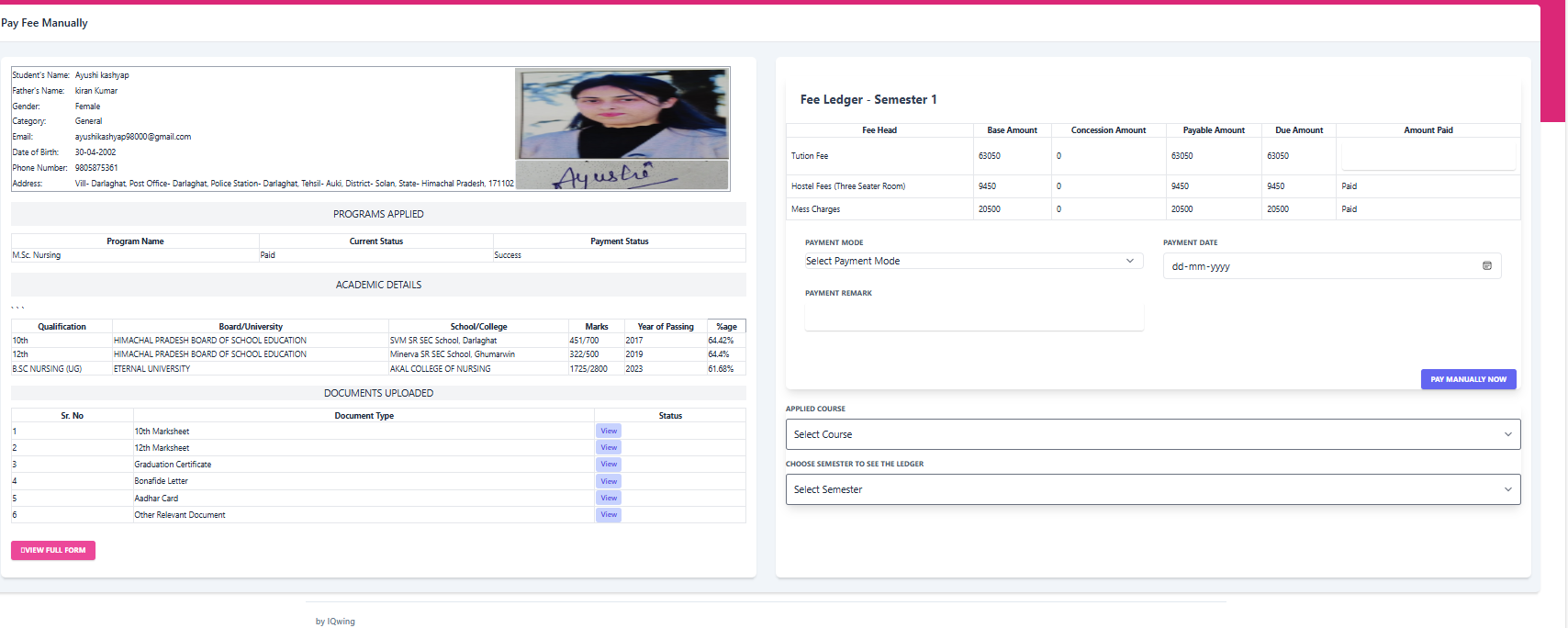
Clicking "PayFee Manual" opens the comprehensive payment screen. Here you can view the student's complete financial history (Ledger) and accept new payments.
Zoom Payment Screen
1. Student Profile
- Name: Ayushi Kashyap
- Father: Kiran Kumar
- Email: ayushikashyap98000@gmail.com
- Phone: 9805875361
- Program: M.Sc. Nursing
2. Fee Ledger (Current Semester)
| Fee Head | Base Amount | Due | Status |
|---|---|---|---|
| Tuition Fee | ₹ 6,30,500 | ₹ 63,050 | Pending |
| Hostel Fees | ₹ 94,500 | ₹ 0 | Paid |
| Mess Charges | ₹ 20,500 | ₹ 0 | Paid |