Form Submitted
Form Submitted (Document Verification)
This module manages students who have completed and submitted their admission forms. The primary task here is Document Verification. Admins must review the academic records and uploaded certificates (10th, 12th, Aadhar, etc.) before accepting the student.
1 Student List & Status
View all students with status 'Form Submitted', 'Form Verified', or 'Document Uploaded'.
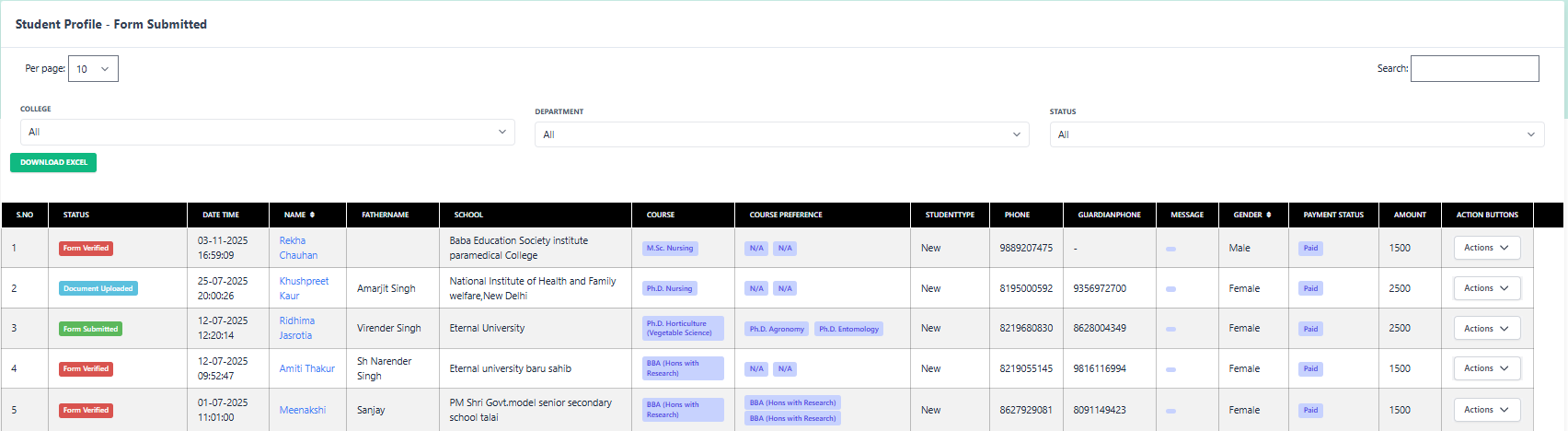
Filtering Data
- College/Dept: Filter by specific course (e.g., M.Sc Nursing, BBA).
- Status:
- Form Submitted (Needs Verification)
- Form Verified (Ready for Fee)
- Document Uploaded (Partial submission)
List Columns
2 Actions & Verification
Verify Doc
Open the verification screen to check marks & certificates.
Accept Form
Mark form as accepted. Enables "Apply Fee" option.
View Form
Preview the student's submitted application.
Follow-up
Log calls if documents are unclear/missing.
Reject
Reject application if criteria not met.
3 Document Verification Process
Clicking Verify Doc opens the detailed verification interface. Here you cross-check the data entered by the student against their uploaded proofs.
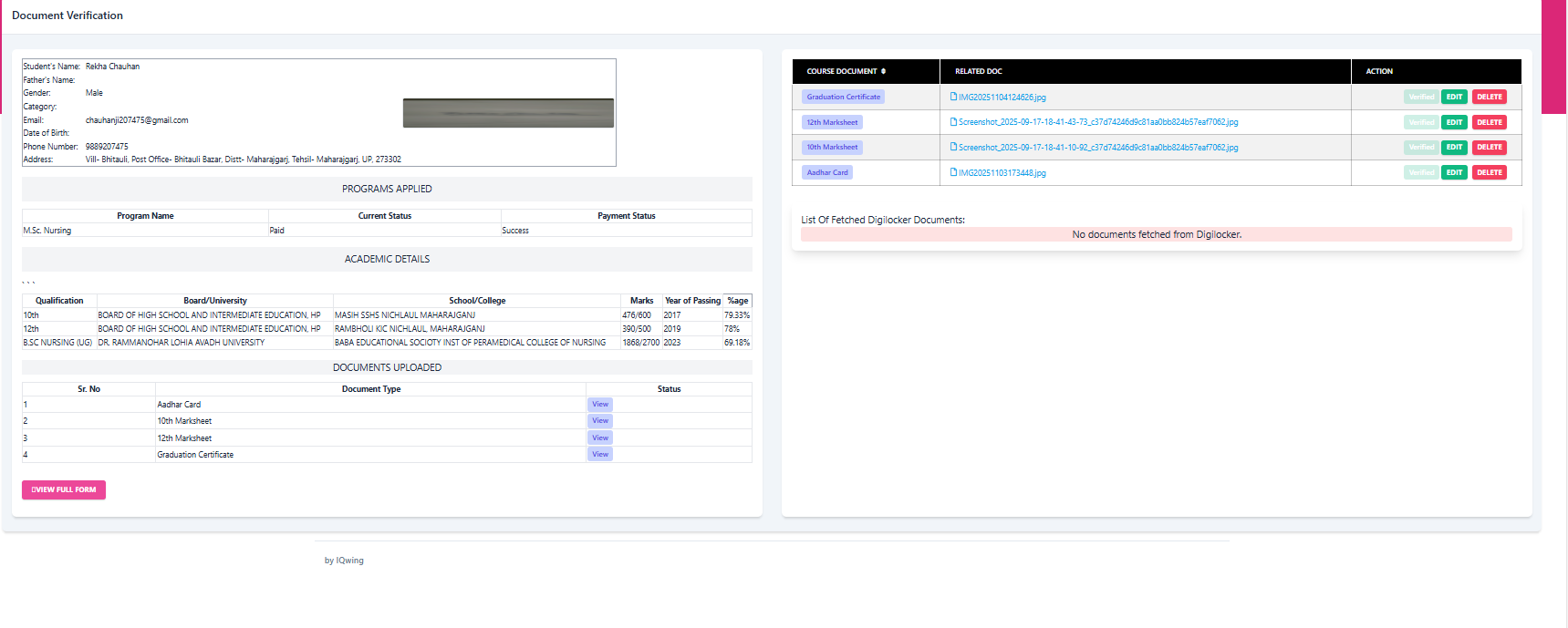
1. Validate Academic Data
| Qualification | Board/University | Marks | %age |
|---|---|---|---|
| 10th | BOARD OF HIGH SCHOOL HP | 476/600 | 79.33% |
| 12th | BOARD OF INTERMEDIATE HP | 390/500 | 78.00% |
| UG (B.Sc) | DR. RAMMANOHAR LOHIA UNIV | 1868/2700 | 69.18% |
* Check these percentages against the uploaded marksheets.